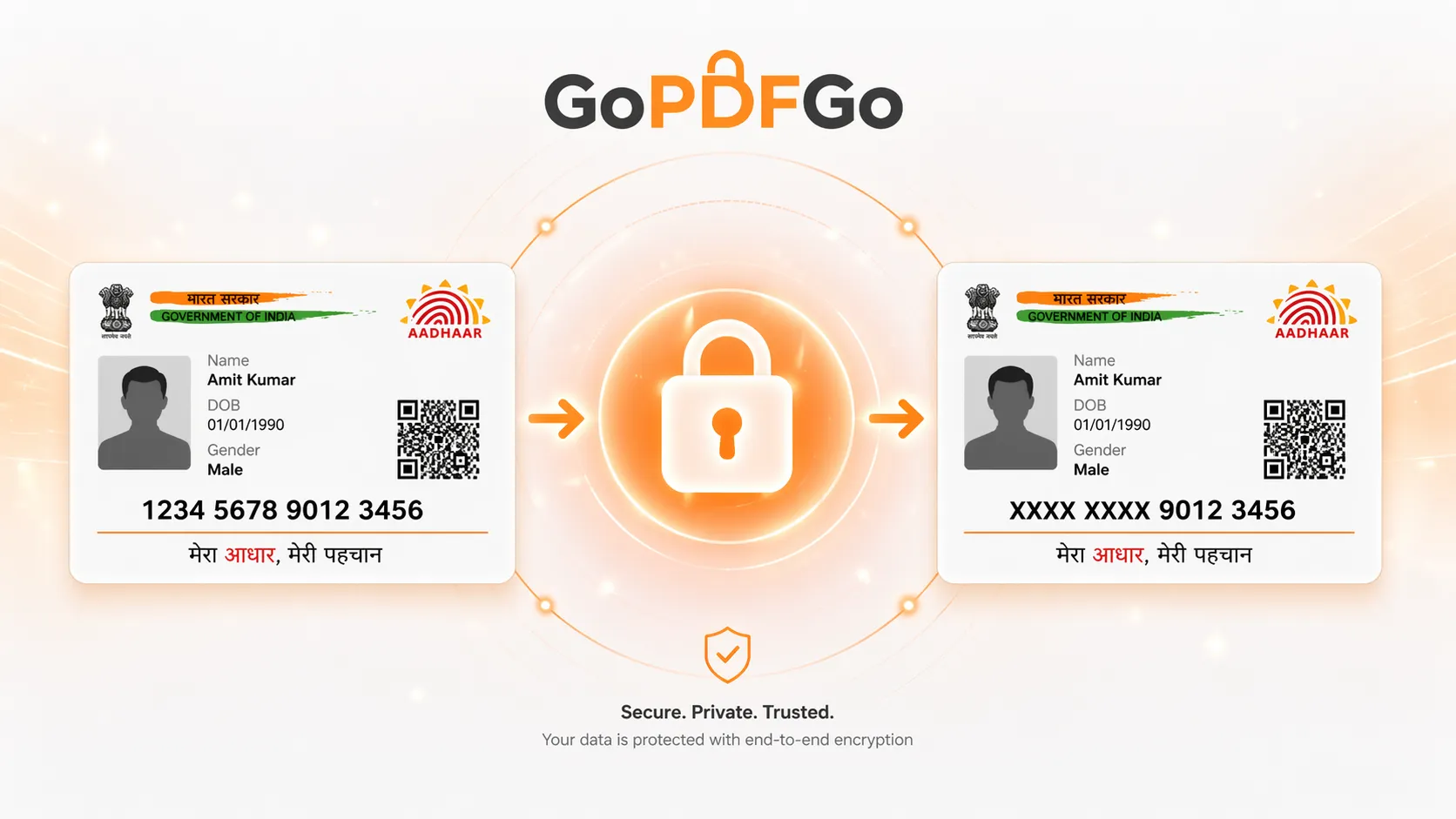
How to Safely Mask Your Aadhaar Card for Rent Agreements & KYC
In India, your Aadhaar card sits at the centre of almost every identity check you go through. Whether you are signing a new rent agreement, checking into a hotel for a weekend getaway, buying a new prepaid SIM card, or completing a basic KYC verification for a digital wallet, the service provider will invariably ask you for a copy of your Aadhaar card.
Most of us simply pull out our phones, take a quick photo of our physical card, and send it over WhatsApp or email without a second thought. But have you ever wondered what happens to that digital file once it leaves your phone? It often sits on unsecured local hard drives, gets forwarded around by agents, or is printed and left in open physical files accessible to anyone.
However, what most people do not realize is that you are not legally required to share your full 12-digit Aadhaar number for everyday, non-financial verifications. In fact, UIDAI (Unique Identification Authority of India) offers an official Masked Aadhaar download, and sharing a masked copy is widely recommended wherever the full number isn't strictly needed to cut down the risk of identity theft, financial fraud, and unauthorized authentication attempts.
What Exactly is a Masked Aadhaar?
A Masked Aadhaar is simply a secure version of your identity document where the first 8 digits of your Aadhaar number are completely hidden, blacked out, or replaced with a series of 'XXXX' characters. This leaves only the last 4 digits visible for basic verification purposes.
When you mask the document correctly, your photograph, your demographic details (like Date of Birth and Gender) and your residential address stay visible, which is what keeps the copy usable as proof of identity and address.
One thing people miss: cover the QR code as well. The square QR printed on your Aadhaar encodes your details, so anyone who scans it can read back what you just blacked out. Hiding the printed digits while leaving the QR scannable defeats the whole exercise. When you mask your own copy, draw a box over the QR too — the last 4 digits and your name are enough for the verifier to match their records. (This is different from the official pre-masked Aadhaar you can download from UIDAI, which carries its own signed QR generated with the number already hidden.)
By actively hiding those first 8 digits, you create a powerful security barrier. Even if the hotel receptionist's computer is hacked, or the real estate broker accidentally leaks your document onto the internet, cybercriminals and hackers cannot use your incomplete ID to open fraudulent bank accounts, verify illegal SIM cards, or take out instant personal loans in your name.
Real-World Scenarios Where You MUST Use a Masked ID
While direct government schemes (DBT) or opening a primary bank account might require your full Aadhaar number for e-KYC, there are countless daily scenarios where a masked version is more than enough:
- Hotel and Resort Check-ins: Hospitality staff only need to verify that the person standing in front of them matches the photo and name on the booking. They do not need your core biometric linkage number.
- Renting an Apartment: Landlords and real estate brokers need your permanent address and identity proof for police verification. A masked ID fulfills this requirement perfectly without exposing your financial identity.
- Job Interviews and HR Screening: During the initial interview rounds or background checks, HR departments only need basic identity confirmation. Provide the full number only after you have officially signed the employment contract and need to open a salary account.
The Danger of Standard Online Photo Editors
When people finally realize they need to hide their digits, their first instinct is usually to search Google for a "Free Online Photo Editor" or a "Blur Image Online" tool. They upload their highly sensitive Aadhaar photo, use a virtual brush tool to paint over or blur the numbers, and download the edited image.
This is a catastrophic security mistake for two major reasons:
First, standard online photo editors are entirely cloud-based. The exact moment you hit the 'Upload' button, your unmasked, original Aadhaar card is transmitted across the internet and permanently saved on a remote server. You have just handed over your most sensitive document to an unknown, third-party tech company. Even if their privacy policy claims to "delete files after 24 hours," your data was exposed to potential server breaches during that window.
Second, simply "blurring" the numbers or using a pixelation filter is no longer safe. Modern Artificial Intelligence (AI) and machine learning tools can easily reverse-engineer basic blur filters to reveal the original text underneath. The only truly secure method is a solid, impenetrable black box.
The 100% Secure Solution: Client-Side Masking
Your identity should never leave your personal device. That is the core technical philosophy behind GoPDFGo. We built a specialized Aadhaar Masking tool that runs entirely on your local machine—meaning your laptop or smartphone—using advanced browser-based technology.
How to Mask Your ID Securely in 4 Steps:
- Step 1: Open the Tool. Navigate directly to the Aadhaar Masking utility on the GoPDFGo website using your preferred browser.
- Step 2: Upload Locally. Select the photograph of your Aadhaar card (JPG or PNG — if you only have it as a PDF, convert it to an image first with our PDF to JPG tool). You will notice that it loads instantly. That is because it is not uploading to our web servers; it is securely loading directly into your browser's local sandbox memory.
- Step 3: Apply the Solid Mask. Use our intuitive, drag-and-drop interface to draw a secure, solid black box specifically over the first 8 digits of your Aadhaar number. Ensure you leave the last 4 digits visible so the document remains verifiable.
- Step 4: Save and Export. Click the apply button. The tool will permanently flatten the black box over the image data, ensuring that the hidden numbers cannot be recovered, selected, or "un-blurred" by reverse-engineering the downloaded file. Download your securely masked document to your local drive.
Why "Flattening" the Document is Crucial
A common, yet highly dangerous workaround is attempting to mask the ID by opening it in Microsoft Word or Adobe Acrobat, drawing a black rectangle shape over the numbers, and saving it as a PDF. The critical problem with this method is that the black shape is saved merely as a floating "layer" on top of the image.
Anyone with a basic, free PDF reader can simply click on that black box, hit the delete key on their keyboard, and immediately reveal your highly sensitive numbers underneath.
Our specialized masking tool solves this by permanently rasterizing the image. The black pixels physically and permanently replace the number pixels in the image's code. There are no floating layers to delete, and the original data is destroyed in the final output file.
What to Do Next
If the office you're sharing with wants a PDF rather than a photo, take your masked image and run it through our Image to PDF tool to wrap it into a clean single-page document. And if the file still comes out heavier than the upload limit allows, our Compress PDF tool will bring the size down without you having to re-do the mask.
Frequently Asked Questions
Q: How do I mask my Aadhaar card for a rent agreement?
A: Open the Aadhaar Masking tool, draw a black box over the first 8 digits, and download the masked copy — the hidden area is flattened permanently.
Q: Is a masked Aadhaar legally valid?
A: Yes. UIDAI and RBI recognise a Masked Aadhaar (first 8 digits hidden, last 4 visible) as valid proof of identity and address.
Q: Can the black box be removed to reveal the number?
A: No. The tool flattens the image, permanently replacing the pixels under the box, so there is no hidden layer to peel off.
Q: Should I also cover the QR code?
A: Yes. The Aadhaar QR code can still hold your full details, so add a box over it too — masking only the printed number may not be enough.