How to Compress PAN Card PDF under 2MB for KYC Verification
You are three screens into opening a demat account on Zerodha or Groww, or finishing video KYC for a new HDFC savings account, or starting your first SIP. Everything has gone smoothly. Then you reach the PAN upload box, pick your file, and the page comes back with: "Upload failed. File size must be under 2MB." Or 200KB. Or 100KB, if it is a government or PSU bank portal. And now the whole application is stuck behind a single document that is a few hundred kilobytes too heavy.
The fix is a two-minute job, but it is worth understanding why a PAN card, which is the size of a credit card, produces a PDF that fails a 2MB cap. Once you know where the weight comes from, you will pick the right compression mode the first time instead of guessing.
Where the Weight Actually Comes From
PAN PDFs reach your phone in three very different ways, and they behave very differently under compression.
The official e-PAN. Downloaded from the NSDL (now Protean) or UTIITSL site, or from the Income Tax portal. This is a small, clean, computer-generated file, usually well under 500KB, and it is password-protected with your date of birth in DDMMYYYY format. On its own it almost never fails a 2MB limit. It fails because it is locked, which is a different problem, covered below.
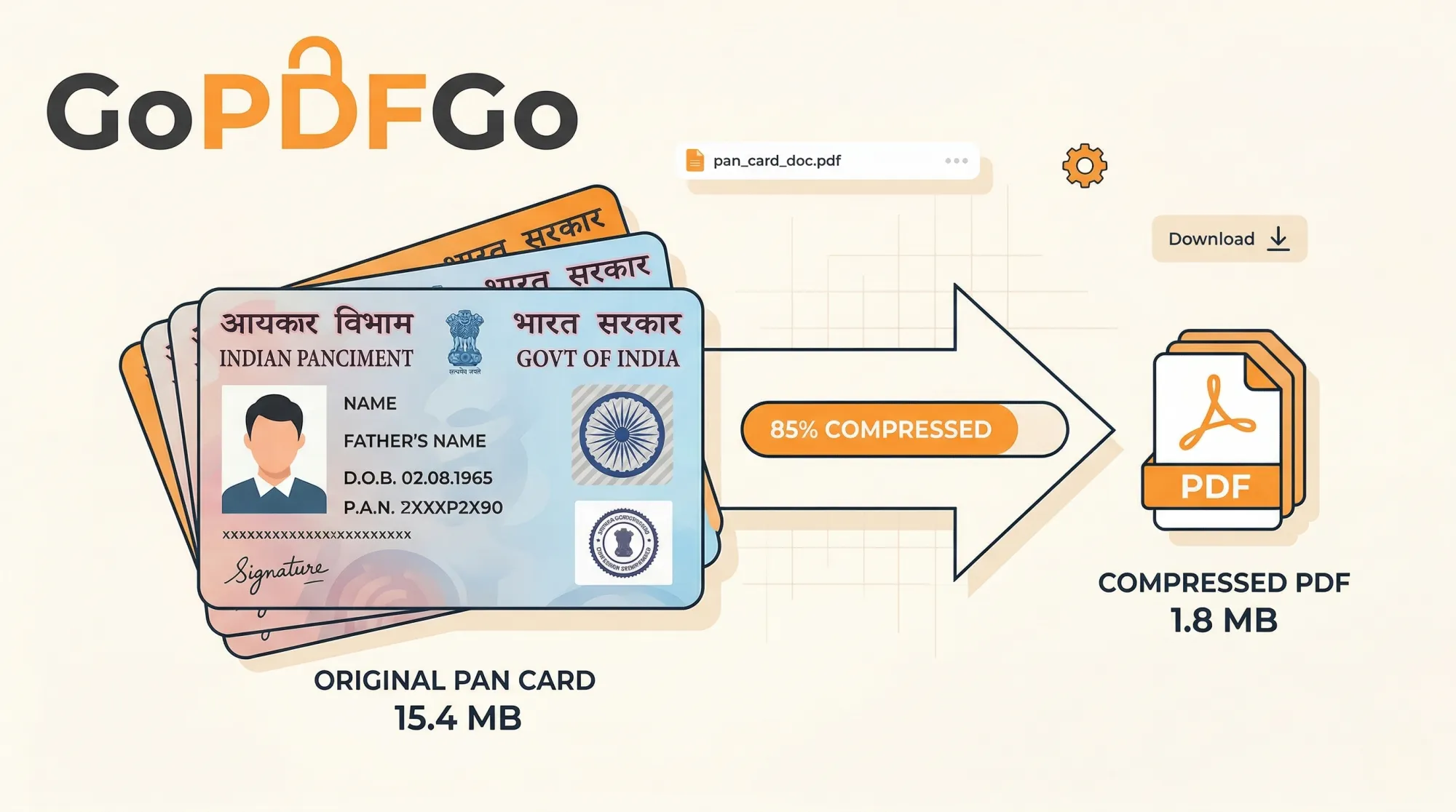
A phone scan of the physical card. This is the usual culprit. A modern phone camera shoots at 12 to 50 megapixels, and a scanner app dutifully wraps that giant photo into a PDF. A single page can land at 3MB to 6MB, most of it wasted on the wood grain of your table and the texture of the card's plastic. There is no detail in a PAN card that needs that much resolution.
An unlocked copy of the e-PAN. If you removed the password so a portal would accept it, the unlocked file is rebuilt as page images, and that copy can be noticeably bigger than the original e-PAN. People are often surprised that a file that was 150KB is 1.5MB after unlocking. That is expected, and it is exactly why you compress after unlocking, never before.
First, Read the Limit Properly
Before touching any tool, look closely at the upload box. Portals are inconsistent, and "2MB" is only the friendliest version of the rule.
- Broker and mutual fund apps (Zerodha, Upstox, Groww, Kuvera, MF Central) generally allow 2MB to 5MB per document and accept PDF or JPG.
- Private bank account-opening pages often sit at 1MB or 2MB, PDF only.
- PSU banks, insurance portals, EPFO and most state government forms are the strict ones: 100KB to 500KB, and some insist on JPG rather than PDF.
Note both the number and the format. If the box wants a JPG and you have a PDF, compression will not save you. And if it wants the front and back of the card in one file, that is a joining problem before it is a size problem; the guide on putting both sides of an ID into a single image walks through that case. For the far more common "PDF, under X KB" rule, keep reading.
Which Compression Mode to Use for a PAN Card
The Compress PDF tool has two modes, and for a PAN card the choice is easier than for most documents.
Best compression first re-saves the file losslessly, stripping metadata, unused fonts and duplicated data, and only optimises the page images when the file is image-heavy. A phone scan is entirely image, so this mode typically knocks 60 to 80 percent off it. A 4MB scan comes back around 800KB to 1.2MB. For a 2MB limit, this is usually all you need, and it keeps the page as sharp as possible.
Target size is for the strict portals. You tap a preset like 200KB, or type 100 into the box, and the tool works down toward that number. To hit small targets it flattens the page into an image, which means text stops being selectable. For a PAN card that is a non-issue, because a scanned card was never selectable text in the first place, and a KYC officer or an automated checker only needs to see the card clearly.
My rule of thumb: limit of 1MB or more, use Best compression. Limit under 500KB, use Target size and type the exact number the portal shows. Either way, GoPDFGo will never return a file larger than the one you gave it, so there is no risk in trying Best compression first and checking the result.
How to Compress a PAN Card PDF for KYC
- Step 1: Open the Compress PDF tool on your phone or laptop. If your file is a locked e-PAN, run it through Unlock PDF first with your DOB in DDMMYYYY form, because every editing tool on the site refuses an encrypted file and will point you there anyway.
- Step 2: Drop the PDF in, or tap to pick it from your Downloads or WhatsApp folder. Since nothing is uploaded, the file appears instantly; there is no progress bar crawling to 100 percent.
- Step 3: Choose the mode. Leave it on Best compression for a 2MB limit. For a 100KB, 200KB or 500KB cap, switch to Target size and tap the matching preset or type the number.
- Step 4: Compress, and read the before and after sizes on screen. If it says it could not reach the target, it has stopped at the smallest clear version rather than wreck the card; try a slightly larger number or the tips in the next section.
- Step 5: Download. The file is saved as GoPDFGo_ followed by your original name. Open it once, zoom in on the PAN number, the date of birth and the QR code, and if they read cleanly, upload that file.
Getting a Stubborn Scan Under 100KB
Most PAN scans reach 200KB without complaint. A 100KB cap is where people start to struggle, and it is almost always because the scan contains far more than the card. If your photo shows the card sitting in the middle of a desk, half the file is desk. Crop the image down to the card edges before you convert it, and the same target suddenly becomes easy, because the tool is no longer spending your kilobyte budget on the tablecloth.
The order that works: crop the photo, convert it with Image to PDF on A4 or Fit to image, then compress with a Target size of 100KB. A tightly cropped card at 100KB is perfectly legible. The same card photographed with a foot of background on each side at 100KB is a smudge.
One more thing worth checking before you compress at all: if the scanner app rotated the card sideways, fix that in the source, not after. Compressing a sideways page just gives you a smaller sideways page, and a surprising number of KYC rejections are about orientation, not size.
The Locked e-PAN Problem, Briefly
If your only copy is the official e-PAN, the error you get is usually not about size at all. Portals reject password-protected PDFs outright because their automated checks cannot open them. You need to remove the password, using the one you already know, which for e-PAN is your date of birth as DDMMYYYY with no slashes. The Unlock PDF tool does exactly that on your device; it is not a cracker and cannot help if you do not know the password. The output is a flattened, image-based copy that opens everywhere, which is fine for KYC, but as noted earlier it may be heavier than the locked original. So the sequence is always unlock first, compress second. The unlock guide covers the trade-offs in detail if you want them.
Mistakes That Get PAN Uploads Rejected
Screenshotting the PDF. Tempting, because a screenshot is small. But a phone screenshot of a PDF is a low-resolution picture with a status bar at the top, and many verification desks reject it as an invalid document. Compress the real file instead.
Feeding a locked file to the compressor. The tool will stop with a message pointing to Unlock PDF. It does not silently pass the file through, so if you see that message you have not compressed anything yet.
Chasing a smaller number than the portal asked for. If the limit is 2MB, there is no prize for hitting 80KB. Every step down in target costs sharpness. Set the target to the limit the portal shows and leave it there.
Compressing a blurry photo and hoping. Compression removes data; it cannot add focus. If the PAN number is fuzzy in the original, it will be fuzzier after. Retake the photo in daylight, on a plain surface, with the card filling the frame.
Sending the compressed copy to a broker or landlord over WhatsApp and forgetting about it. A small, crisp PAN copy is exactly the file that gets forwarded around. For anything that is not an official KYC upload, mask part of the number first.
What This Tool Will Not Do
Some honest limits so you are not surprised. Compress PDF does not rotate pages, so fix orientation separately. It does not open encrypted files, including owner-locked ones that open without a password but are restricted. It cannot always reach an aggressive target on a large, busy image and will tell you when it stops short. And in Target size mode the text becomes non-selectable, which does not matter for a scanned card but does matter if you were compressing a text document and wanted to copy from it later.
On the privacy side, the whole thing runs inside your browser on your own device; your PAN is not uploaded to GoPDFGo or anywhere else. The engine arrives the first time you run a file through the tool, and after that first run you can even switch off Wi-Fi and keep working. For a document that carries your full name, father's name, date of birth and signature, that is the way it should be handled.
After the Upload Goes Through
Keep the original scan or e-PAN somewhere safe and treat the compressed copy as the disposable one. If a bank, a landlord for a rent agreement, or a fund house's agent asks for a PAN copy outside an official portal, run it through the ID Masking tool and black out part of the number and your signature before sending. It works on PAN cards as well as Aadhaar; you draw the boxes yourself, and the masked area is genuinely removed from the pixels rather than hidden under a layer. The masked result downloads as an image, so convert it back to a PDF if that is what the recipient wants.
Frequently Asked Questions
Q: Will compressing damage the QR code on the PAN card?
A: At 200KB or above, no; a tightly cropped card keeps the QR readable. Below 100KB on an uncropped scan the code can start to break up. The QR on a PAN is rarely scanned during online KYC, but zoom in and check it after compressing if the portal mentions QR verification.
Q: Is a compressed copy still a valid PAN document for KYC?
A: Yes. KYC desks accept a legible copy of the card, whether that is the e-PAN or a scan of the physical one; they verify the number against the Income Tax database, not the file's pixels. Compression changes the file size, not the details on the card, so as long as the number, name and date of birth read clearly, it is as valid as the original.
Q: Will the portal reject the file because the name now starts with GoPDFGo_?
A: No portal checks the file name against your identity, only the type and size. If you prefer a plain name, rename it after downloading; the contents do not change.
Q: My e-PAN is already 90KB. Should I still compress it?
A: No. If it is under the limit and not password-protected, upload it as is. If it is locked, unlock it and then compress only if the unlocked copy crosses the cap. Compressing a tiny text PDF for its own sake gains nothing - the before and after figures will show barely any change.
Q: The tool says it cannot reach 50KB. What now?
A: Fifty kilobytes is very tight for a full-page scan. Crop to the card edges, convert with Fit to image so there is no white A4 border to spend bytes on, and try again. If the portal accepts JPG, a cropped JPG will often reach 50KB more cleanly than a PDF.
Q: Does compressing on a phone give a worse result than on a laptop?
A: No. The same engine runs in the browser on both, so a 200KB target on an Android phone produces the same file as on a Windows laptop. It may take a couple of seconds longer on an older phone, that is all.
The Short Version
A PAN card PDF fails a size limit because it is a giant photo, or because it is a locked e-PAN that became a heavy image when unlocked. Read the exact limit and format on the upload page. For 1MB or above, use Best compression. For 500KB or below, use Target size with the portal's number. Crop the scan to the card before converting if you need to go under 100KB. Unlock before compressing, never after, and check the number and date of birth are legible before you hit upload.
That is the whole job. Compress your PAN card PDF on your own device, upload it, and get back to opening that account.