How to Optimize Your PDF Under 50KB for Government Recruitment Forms
If you have ever applied for a government job in India, whether through SSC, UPSC, RRB, IBPS or a state PSC, you know this particular headache. You spend an hour filling the form, double-check your category and your roll numbers, pay the fee, and finally reach the document upload page. You pick your marksheet, click Upload, and get the line every aspirant dreads: "File size must be less than 50 KB."
Your scanned 10th marksheet is 2 MB. The Aadhaar PDF you downloaded is 1.5 MB. The photo of your caste certificate that your cousin sent on WhatsApp is 4 MB. And the portal wants 50 KB, which is roughly one-fortieth of what you have. It feels like the only way to get there is to turn the document into a grey smudge nobody can read. It isn't, but you do need to understand what the tool is doing, because 50 KB is a genuinely tight number and the difference between a clean pass and a rejected upload comes down to a couple of choices.
Why Do These Portals Want Such Tiny Files?
The limit is not there to torture you. SSC CGL alone crosses 25 lakh applications in a normal year, and Railway Group D has crossed a crore. If each applicant uploads four documents at 2 MB, that is tens of terabytes of storage the exam body has to keep for years, and more importantly, it is bandwidth the site has to serve on the last two days before the deadline when everyone logs in at once. A 50 KB cap keeps the upload servers alive during that rush and lets a verification officer open your file instantly during document verification instead of waiting for a heavy scan to load on a slow office connection.
So the cap is real, it is enforced by the upload script before your file ever reaches a human, and there is no arguing with it. Your job is to get under it while keeping your name, roll number and marks legible.
What Is Actually Making Your PDF So Heavy
This is worth a minute, because it tells you how far a file can realistically shrink.
A marksheet PDF made from a phone photo is basically a 12-megapixel colour picture wrapped in a PDF container. That photo is carrying the wood grain of your table, the shadow of your hand and the slight yellow tint of the room light, none of which the verifier needs. A flatbed scan at 300 DPI in colour is the same story. The text on your marksheet, the part that matters, is a tiny fraction of the data. Everything else is pixels describing paper texture.
That is why a single-page scanned document can drop from 2 MB to well under 100 KB without the text becoming unreadable: most of what gets thrown away was never information in the first place. It is also why a six-page colour bundle will not reach 50 KB no matter what you do. Roughly 8 KB per page is not enough to hold a readable image of a page. So before you compress, make sure you are compressing the right thing: one document, the pages the portal actually asked for, nothing extra.
Size vs Dimensions: Two Different Numbers
The other trap is that file size (KB) and image dimensions (pixels) are different things, and portals often specify both. A PDF cap is usually just a KB number. But the photograph and signature slots on the same form will often say something like 3.5 cm x 4.5 cm, or 140 x 60 pixels, and 20 KB. If you only fix the KB and ignore the pixels, that upload still fails. The PDF tool on this page fixes KB. For a photo or signature that needs an exact pixel size, use Resize Image first, then compress the image. If the portal wants an image rather than a PDF for a slot, do not upload a PDF there at all; our guide on compressing a JPG under 20 KB covers that side of the form.
The Two Compression Modes, and Which One You Want Here
The Compress PDF tool works in two modes, and picking the wrong one is the main reason people come back saying "it only went down to 400 KB."
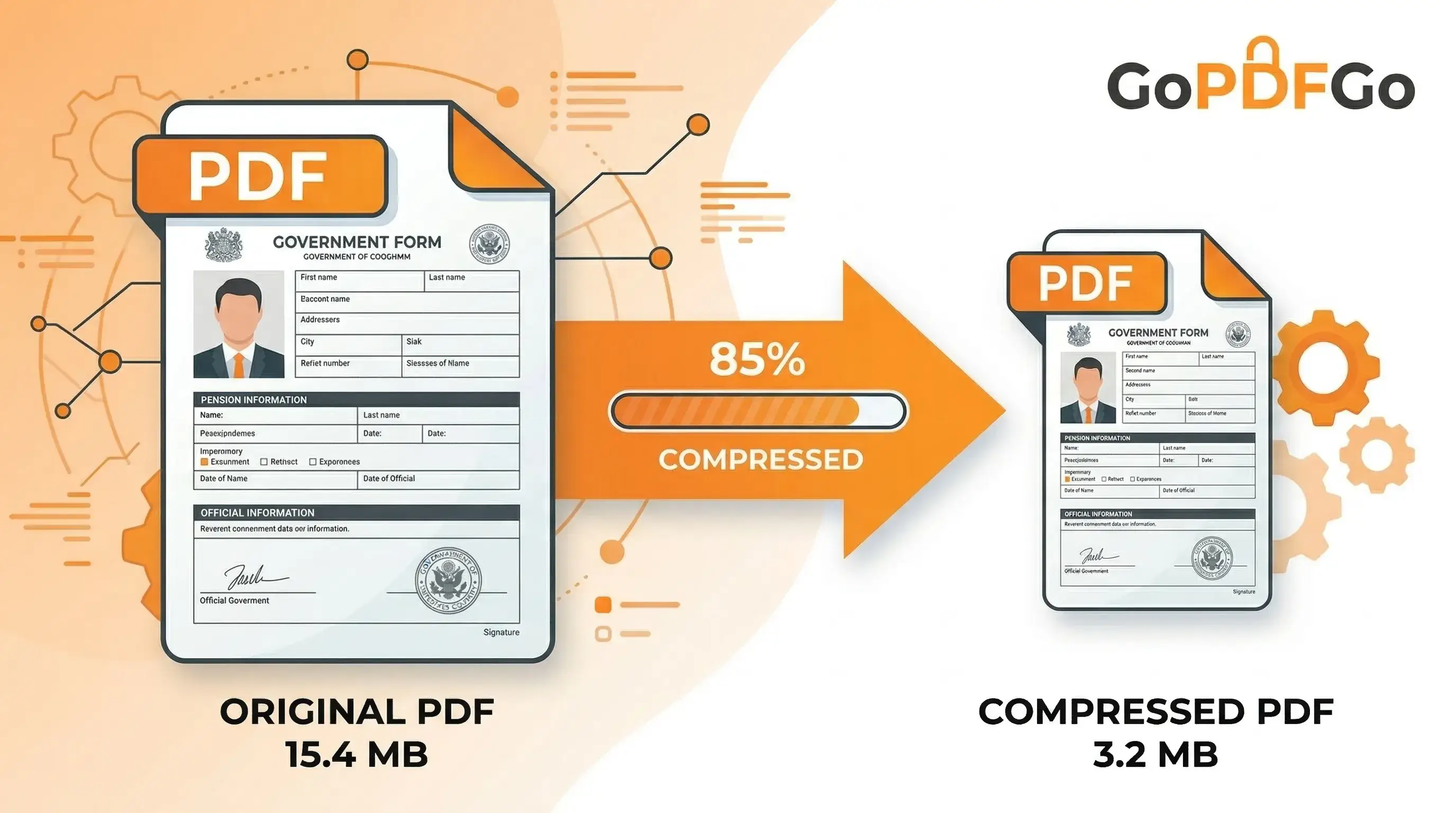
Best compression starts with a lossless re-save. It strips metadata, unused fonts and duplicated data, and if the file is image-heavy it optimises the page images. Text stays selectable. A typical scan loses 60 to 80 percent of its size this way, so a 2 MB marksheet lands somewhere around 300 to 600 KB. That is great for email and most portals, but it is not 50 KB.
Target size is the mode built for recruitment forms. You tap a preset like 200 KB or type your own number, such as 50, and the tool works down toward that figure. To reach a number that small it flattens each page into an image and squeezes it. The result: the text is no longer selectable, and it goes slightly softer than the original. For a marksheet or certificate upload that is the correct trade. The officer is going to look at the page, not copy-paste from it. What you must not do is accept a result you have not zoomed into, which we will get to.
One guarantee holds in both modes: the tool never hands you a file bigger than the one you gave it. If a PDF is already lean, it says so instead of quietly inflating it.
How to Compress a PDF Under 50 KB for a Recruitment Form
- Step 1: Open the GoPDFGo Compress PDF tool on your phone or laptop. The whole job happens inside the browser tab, so the file is never uploaded to a server.
- Step 2: Drop in the PDF for that one upload slot. If your file has extra pages, the back side of the marksheet or a terms page from the scanner app, trim it down first with Extract PDF Pages. Every page you remove is data you no longer have to squeeze.
- Step 3: Switch to Target size mode. Either tap the nearest preset or type your exact cap in the box. If the portal says under 50 KB, type 45 rather than 50. Portals measure in slightly different ways and a few KB of headroom saves you a second attempt.
- Step 4: Run the compression. The before and after sizes appear on screen. Check that the after figure is genuinely below your cap and not sitting right on it.
- Step 5: Download the file. It comes back named GoPDFGo_ followed by your original filename. Open it, zoom into your roll number and the marks column, and confirm you can read every digit. If you can, rename it to something like Ravi_Kumar_10th_Marksheet.pdf and upload.
When It Will Not Reach 50 KB
Sometimes the tool tells you it could not reach the target and gives you the smallest clear version it could produce instead. This is deliberate. It stops at the point where going smaller would leave the page unreadable, because a 48 KB file with an illegible roll number gets you rejected months later at verification, which is far worse than a 70 KB file the portal bounces now, while you can still fix it. Here is what actually moves the needle when that happens.
- Cut pages. If the slot is for your 10th marksheet, upload the 10th marksheet, not the 10th plus 12th plus degree in one PDF. Pull out just the page that slot wants.
- Crop before you compress. A phone photo where the marksheet fills a third of the frame is spending two-thirds of its budget on your desk. Crop the image tight to the document, then convert it to PDF and compress. This alone often halves the starting size.
- Re-scan in grayscale. A colour scan of a black-and-white document is carrying three times the data for no benefit. Most scanner apps and flatbed scanners have a grayscale or black-and-white option. Use it for text documents. Keep colour only for things like a photograph or a certificate with a coloured seal that the notification specifically wants in colour.
- Check the cap again. I have watched people fight to get a 300 KB file under 50 KB when the notification actually said 500 KB, or said 50 KB for the photo and 300 KB for the certificate. Read the exact line for the exact slot.
The Mistakes That Get Applications Rejected
Trusting the number and not the picture. Getting under 50 KB is half the task. The other half is that a human being, months from now, has to read your father's name and your marks off that page in a crowded verification hall. Always open the compressed file and zoom in. If a digit is ambiguous, go back, crop tighter or re-scan, and try again. A rejected document at the verification stage cannot be fixed by re-uploading.
Using a compressor that blurs first and asks later. Many free tools reach a small size by throwing away resolution across the whole page, so everything goes soft together. Target size mode reduces detail only as far as the number forces it to, and stops instead of wrecking the page. That is the difference between a readable marksheet and a grey rectangle.
Trying to compress a locked PDF. This one surprises people. The e-Aadhaar you download from UIDAI is password-protected. So are many e-PAN files and most bank statements. The Compress PDF tool will not touch an encrypted file; it refuses with a message pointing you to Unlock PDF, which removes a password you already know. Do that first, then compress. The unlocked copy is a flattened image PDF, which is fine, because the compressed version was going to be flattened anyway.
Compressing the same file three times. Running the output through the tool again does not find new savings. Once the pages are flattened at a given size, the second pass has nothing left to strip and you just get the same file back, or one that is marginally softer for no gain. If the first pass did not reach your number, change something about the input: fewer pages, tighter crop, grayscale.
Confusing KB and MB. It sounds silly until it happens at 11:40 PM on deadline night. 50 KB is one-twentieth of 1 MB. If your file says 1.2 MB and the cap says 50 KB, you are not "a little over."
Uploading a PDF into a JPG slot. Photo and signature boxes almost always want an image file, not a PDF. A PDF, however small, gets rejected there for the wrong format, not the wrong size. That side of the form is a job for Compress JPG, and if the portal is rejecting something that looks perfectly fine to you, the reasons are usually one of the handful covered in why government websites reject perfectly fine PDFs.
What This Tool Does Not Do
I would rather you hear the limits from me than discover them at midnight. Target size mode makes the text non-selectable, so if a portal specifically needs a text-searchable PDF (rare for recruitment, common for some court and academic submissions), use Best compression mode and accept the larger file. The tool cannot make a colour photograph of a certificate look sharp at 50 KB across several pages; physics gets in the way. It does not change page dimensions or pixel sizes, so the photo and signature requirements are a separate task. And it will not open a password-locked file for you or guess a password you have forgotten.
Everything runs on your device, which matters more than usual here because a category certificate, an Aadhaar PDF and a marksheet together are most of what someone needs to impersonate you. There is no upload, so there is no copy of your documents sitting on someone's server after you close the tab.
Frequently Asked Questions
Q: Should I compress before or after combining documents?
A: For recruitment portals, usually neither, because each slot wants one document. If a slot genuinely asks for several certificates in one PDF, combine them first and compress the finished bundle once, then check every page. Compressing each piece separately and then merging them tends to leave you with a bigger file than compressing the merged result, and you cannot predict the final size until the merge is done.
Q: The portal says the file must be between 50 KB and 300 KB. What do I type?
A: Aim inside the range, not at the floor. Type something like 200 in Target size mode. Portals with a minimum size reject files that are too small as readily as ones that are too large, and a 200 KB version will be noticeably sharper than a 55 KB one.
Q: Can I compress several PDFs in one go?
A: No - the tool works on one PDF at a time, and if you pick several it keeps the first and tells you so. Do your 10th, 12th and degree marksheets as three quick separate runs, checking each result against the cap for its own slot, since they will not all land at the same number.
Q: Does the compressed file keep the GoPDFGo_ prefix, and does that matter for the upload?
A: The download is named GoPDFGo_ followed by your original filename. Portals do not care about the name, but rename it anyway before uploading, to something with your name and the document type. It costs five seconds and it means the officer and you both know what the file is later.
Q: Will the compressed PDF look the same on the officer's computer as on my phone?
A: Yes. The output is a standard PDF with each page stored as an image, so it renders identically in Chrome, Adobe Reader, a Windows office PC or an iPhone. There are no fonts to go missing and nothing that depends on the viewer. What you see when you zoom in on your phone is what they will see.
Q: Does it work on a slow connection or with no internet at all?
A: Mostly. The compression engine is fetched the first time you actually run a file through the tool, not when the page opens - so do one run while connected, and after that you can switch off mobile data and keep working. Useful in a hostel with bad Wi-Fi, and on a shared cyber-cafe machine remember the only copy of your file is the one you download yourself.
The Short Version
A 50 KB cap is tight but honest. One page, cropped to the document, scanned in grayscale, run through Target size mode with a few KB of headroom, gets there almost every time and stays readable. Where it does not, the fix is on the input side: fewer pages, a tighter crop, a cleaner scan, and an unlocked file if it came with a password. Then open the result, zoom in on your roll number, and only upload once you can read every digit yourself.
Months of preparation should not fall at a file-size check. Open Compress PDF, set your target, and get back to the syllabus.