GoPDFGo vs iLovePDF & Smallpdf: What Changes When Nothing Is Uploaded
When you need to shrink a PDF, pull two files into one, or chop a scan in half, the reflex is the same for most of us: search "merge pdf", click the first result, and you land on iLovePDF or Smallpdf. They are fast, they are polished, and for a lot of jobs they are genuinely good. I used them for years.
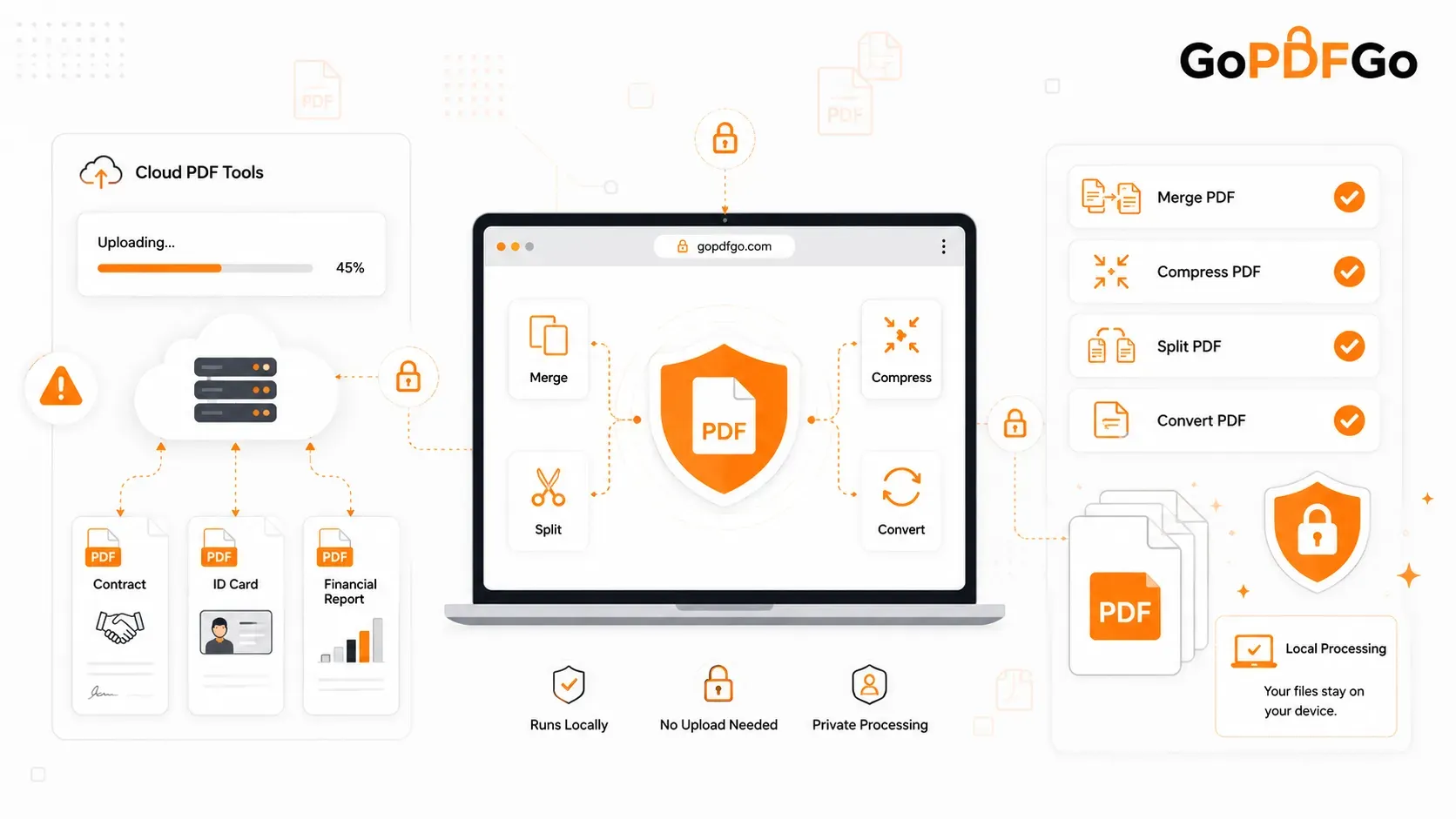
The part that took me longer to notice is what actually happens when you press the button. Your file is sent to their server, the work is done there, and the result comes back down. For a restaurant menu that is fine. For an SBI statement, a PAN card, an offer letter with someone's salary on it, or a client's rent agreement, you have just handed a copy to a company you have no relationship with, on the strength of a deletion promise you cannot check.
This guide is about the alternative that skips the upload entirely. GoPDFGo runs the same everyday jobs inside your browser tab, on your own laptop or phone, so the file never leaves the device. I will go task by task through what it replaces, be straight about what it does not replace, and show you the mistakes people make in the first week of switching.
What Actually Happens to Your File on a Cloud Tool
The mechanics are simple. You choose a file, a progress bar climbs, and that bar is the file travelling to a server you will never see. It sits there while it is processed, and usually for a while afterwards. Most of these services say files are deleted within a few hours — iLovePDF publishes its retention terms here and Smallpdf here; read the exact wording rather than taking my summary for it. Maybe every word is honoured. But for that window your bank statement exists on a machine outside your control, and a retention promise is something you have to trust, not something you can check.
I am not going to rehash the full argument here, because we already wrote it up properly. If you want the deeper comparison of how the two approaches differ, read local PDF processing vs cloud tools. The short form is: an in-browser tool has nothing to breach, because it never held your file in the first place.
What "Alternative" Should Actually Mean
An alternative is only useful if it does the specific jobs you go to iLovePDF for. So here is the honest map, task for task, of what GoPDFGo covers and how it behaves.
- Merge PDF: Drop in two or more files, drag the cards into order (the number on each card is the page order), and hit merge. Mixed A4 and Letter, portrait and landscape, are kept exactly as they are with no stretching. Each card shows the file size and page count, with a running total above the button, so you can see whether the finished file is going to blow past a portal's upload cap before you make it. That is the Merge PDF tool, and it is the one I would test first.
- Compress PDF: Two modes. Best compression does a lossless re-save first, so text stays selectable, and only optimises page images when the file is scan-heavy. Target size lets you pick a preset like 200 KB or type your own number, which is what you want for SSC, UPSC or bank KYC caps. To reach a very small target it flattens pages to images, so text stops being selectable. It never hands back a file bigger than the original. A typical scan drops 60 to 80 percent. Use Compress PDF.
- Split and extract: Pull a continuous range like 10-25, or scattered pages like 1, 5, 8-12, into one new PDF with text still selectable. Or break a heavy file into pieces for email.
- Images to PDF: Photos of a marksheet or receipts from your phone go onto A4, Letter or fit-to-image pages, in the order you drag them. See Image to PDF.
- Rotate, reorder, delete pages: All three on one screen in Organize PDF, or as separate single-purpose tools. Rotation is written into the file, so it stays fixed everywhere, not just on your screen.
- Sign, watermark, page numbers: Draw, type or upload a signature and place it on one page or all of them. Stamp a text watermark diagonally, tiled, in the footer or centre. Add page numbers in four positions with a skip-the-cover option.
- Unlock, OCR, PDF to text, PDF to image: Remove a password you already know, read printed text off a scan in English, Hindi or both, or turn pages into JPGs for a form that refuses PDFs.
That covers, in my experience, well over ninety percent of what people actually open iLovePDF or Smallpdf for.
How to Move One Job Over and Judge for Yourself
Do not switch everything at once. Take the single job you run most often and do it side by side.
- Step 1: Pick the job. For most people it is merging a few PDFs into one, or squeezing a scan under a portal's size cap.
- Step 2: Run it on GoPDFGo with the same files you would have uploaded elsewhere — Merge PDF or Compress PDF. Note that no upload bar appears; the cards fill in straight from your storage.
- Step 3: Open the result and check the things that matter for that job: page order, that text still selects after a merge, that a compressed scan is still legible at the size the portal wanted.
- Step 4: If you want proof that the file genuinely never left your device, the airplane-mode test and the Network-tab check are written up step by step in are online PDF tools safe for bank statements. It takes a minute and settles the question.
- Step 5: Move the next job only once the first one has earned it. The section below on what GoPDFGo does not do tells you which jobs to leave where they are.
The Jobs It Honestly Does Not Replace
I would rather you find this out here than after you have moved your workflow over.
Word and Excel to PDF. iLovePDF and Smallpdf will take a .docx and give you back a PDF. GoPDFGo does not accept Word, Excel or PowerPoint files at all. Its input is PDFs and images. For office documents, use the Save as PDF or Print to PDF option built into Word, LibreOffice or Google Docs, which is free and also local, then bring the PDF here.
Editing the words inside a PDF. None of these browser tools, GoPDFGo included, will let you change a clause in a contract or fix a typo in a paragraph. For that you still need Acrobat or a desktop editor.
Cloud imports. There is no "import from Google Drive" or Dropbox button, and that is deliberate. A tool that promises not to touch the internet should not be pulling files down from it. Download the file to your device first, then open it.
Image watermarks and background removal. The watermark tool is text only, so you can stamp CONFIDENTIAL or "For HDFC loan only" but not a logo. The signature tool has no background remover; a photo of your signature on lined paper will bring the lines with it. The fix is to sign on a clean white sheet and crop tightly with the Crop tool before uploading.
Forgotten passwords. Unlock PDF removes a password you already know. It does not guess or crack anything, and the unlocked output is a flattened image-based PDF whose text is no longer selectable. If that is your exact situation, the bank statement unlock guide walks through it properly.
Mistakes People Make in the First Week
These come up over and over, and almost all of them have a two-second fix once you know why they happen.
Merging a locked statement and finding it missing. Bank statements and salary slips are often encrypted, sometimes in the sneaky owner-locked way where the file opens without a password but is still flagged restricted. Every editing tool on the site refuses such a file and points you to Unlock PDF. Merge is a little kinder: it skips the locked file, finishes the rest, and names what it left out. People see a nine-page result instead of twelve and assume something broke. Nothing broke. Unlock the statement, then merge again.
Choosing a 100 KB target and then complaining the text will not select. Target size mode flattens pages to images to reach small numbers. If you need searchable text, use Best compression instead and accept a slightly larger file.
Looking for the upload progress bar. After years of cloud tools, people wait for something to happen after picking a file. Nothing to wait for. The file is already there.
Expecting the tool to sort by file name. Merge and Image to PDF go by the order you arrange the cards, not alphabetical order. Drag them.
Not finding the download. Every output is named with a GoPDFGo_ prefix in front of the original name, so search your Downloads folder for "GoPDFGo" and it will be right there.
Who Should Switch First
Everybody benefits, but some people are carrying real professional risk by continuing to upload.
- HR and recruiters: Offer letters, passport scans, salary slips and background-check forms. Uploading a candidate's Aadhaar to a free site is the kind of thing that ends up in an incident report.
- Advocates and law firms: Affidavits, agreements and client correspondence sit under privilege. A third-party server is outside that perimeter, full stop.
- CAs and accountants: PAN cards, ITR acknowledgements, GST filings and balance sheets, every single day. Our piece on why bank statements should never go to free PDF sites is aimed squarely at this workload.
- Anyone doing KYC or a loan: The typical bundle is a statement, a PAN, an Aadhaar and a photo. That is a complete identity kit, and it deserves better than a free upload box.
Frequently Asked Questions
Q: If nothing is uploaded, why does the page need internet at all?
A: Only to load the page and, the first time you use a tool, to fetch the processing engine into your browser. After that first run everything happens on your device, and you can go offline and keep working, which is exactly the test in the walkthrough above.
Q: Is there a file size or daily task limit like the free tiers of cloud tools?
A: No daily count and no artificial cap, because there is no server bill to protect. The real limit is your device's memory. A 100 MB merge on a modern laptop is fine; on an older phone, doing a very large batch in two or three smaller runs is smoother.
Q: Does it work on a phone, or only on a computer?
A: Both. It runs in the mobile browser on Android and iPhone, you pick files straight from your phone's storage or gallery, and the finished file downloads to the phone so you can share it on WhatsApp or attach it to an email.
Q: Can I use both — GoPDFGo for sensitive files and iLovePDF for everything else?
A: Yes, and for many people that is the sensible split. Use the in-browser tool for anything carrying a PAN, an Aadhaar number, a salary figure or a client's name, and use whichever tool you like for a poster or a menu. The point of this comparison is not that one is bad; it is that the two make different promises, and the promise matters more for some files than others.
Q: What is the catch? Why is it free?
A: The cost of processing is borne by your own device, not by a server farm, which is what makes the free-and-private combination possible. There is no watermark on the output, no signup, and no upsell that unlocks the "real" version.
Q: Is GoPDFGo faster or slower than the cloud tools?
A: Faster to start, because there is no upload wait, and the same or slower to finish, because your phone or laptop is doing the work a server would do. A 3 MB merge is instant either way. A 60-page scan being compressed on an older phone will take longer here than on Smallpdf's servers. The trade is time on your device against a copy on theirs.
The Short Version
iLovePDF and Smallpdf are capable tools that most of us use out of habit, and the habit involves sending our most personal documents to someone else's server. For merging, compressing, splitting, rotating, signing, watermarking, numbering, unlocking and converting images, a browser-based tool does the same job without the file ever leaving your device, and you can prove it by pulling the plug. What it does not do is convert Word files, edit text inside a PDF, or open anything you cannot already open, and it will politely refuse a locked bank statement until you unlock it first.
If you want to try the switch, start with the job you do most. Open Merge PDF, drop in two files, and watch how nothing has to upload before the work begins.