Are Online PDF Tools Safe for Bank Statements and Aadhaar? How to Check in One Minute
Think about the last five PDFs you handled. For most of us in India that list looks something like an HDFC or SBI statement for a loan, a PAN card scan for a demat KYC, a rent agreement with an Aadhaar photocopy stapled to it, a child's marksheet, and an SSC or UPSC application form that needed to be squeezed under a size cap. Every one of those files says something private about you, and every one of them, at some point, needed merging, compressing, or rotating.
The habit most of us picked up years ago is to search "merge pdf free", click the first site, and hit Upload. It worked, so we never questioned it. The question this post is trying to answer honestly is: when you do that, where does your file actually go, and is a tool that keeps the file on your own device genuinely safer, or is that just marketing?
What Actually Happens When You Click "Upload"
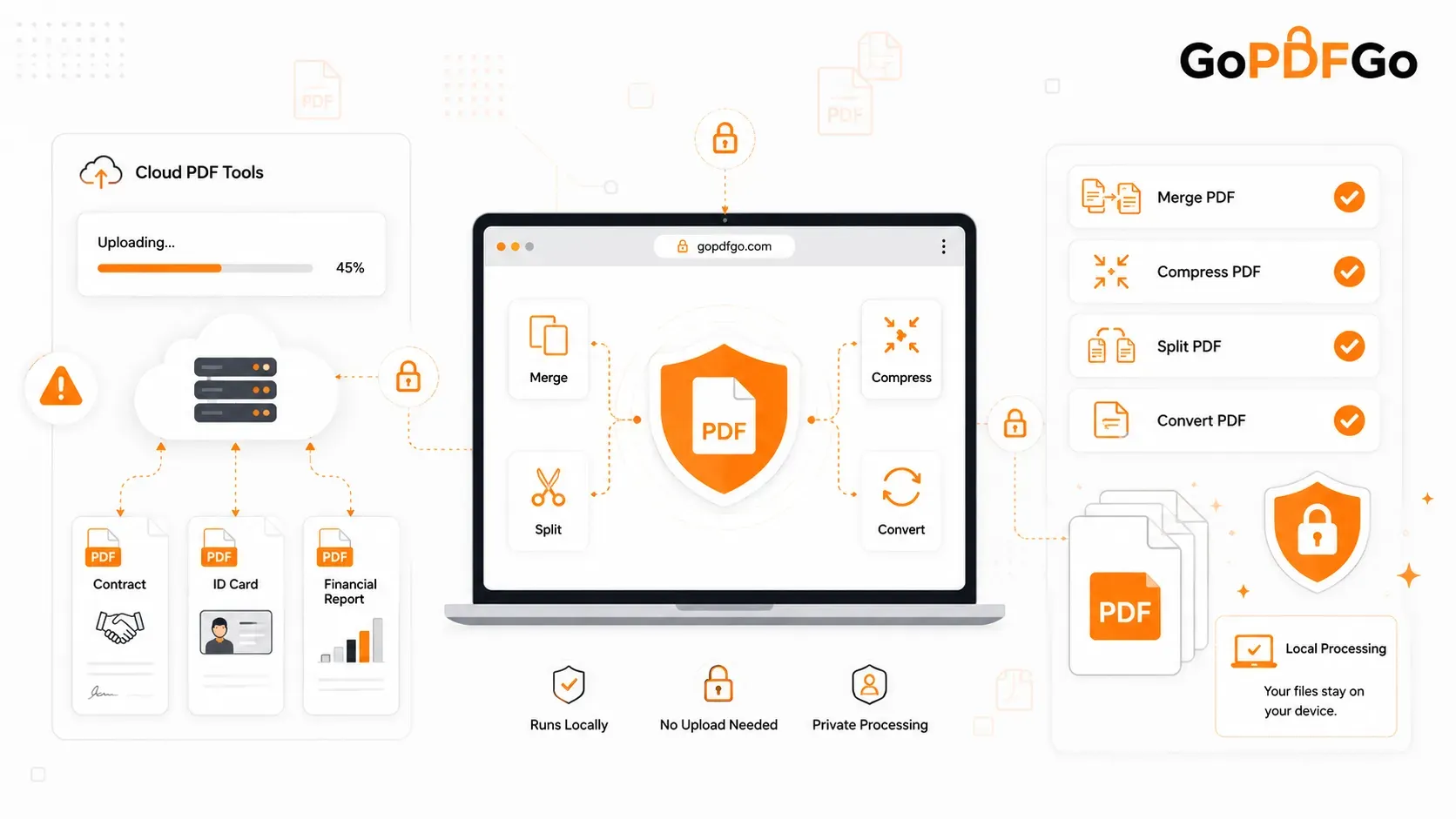
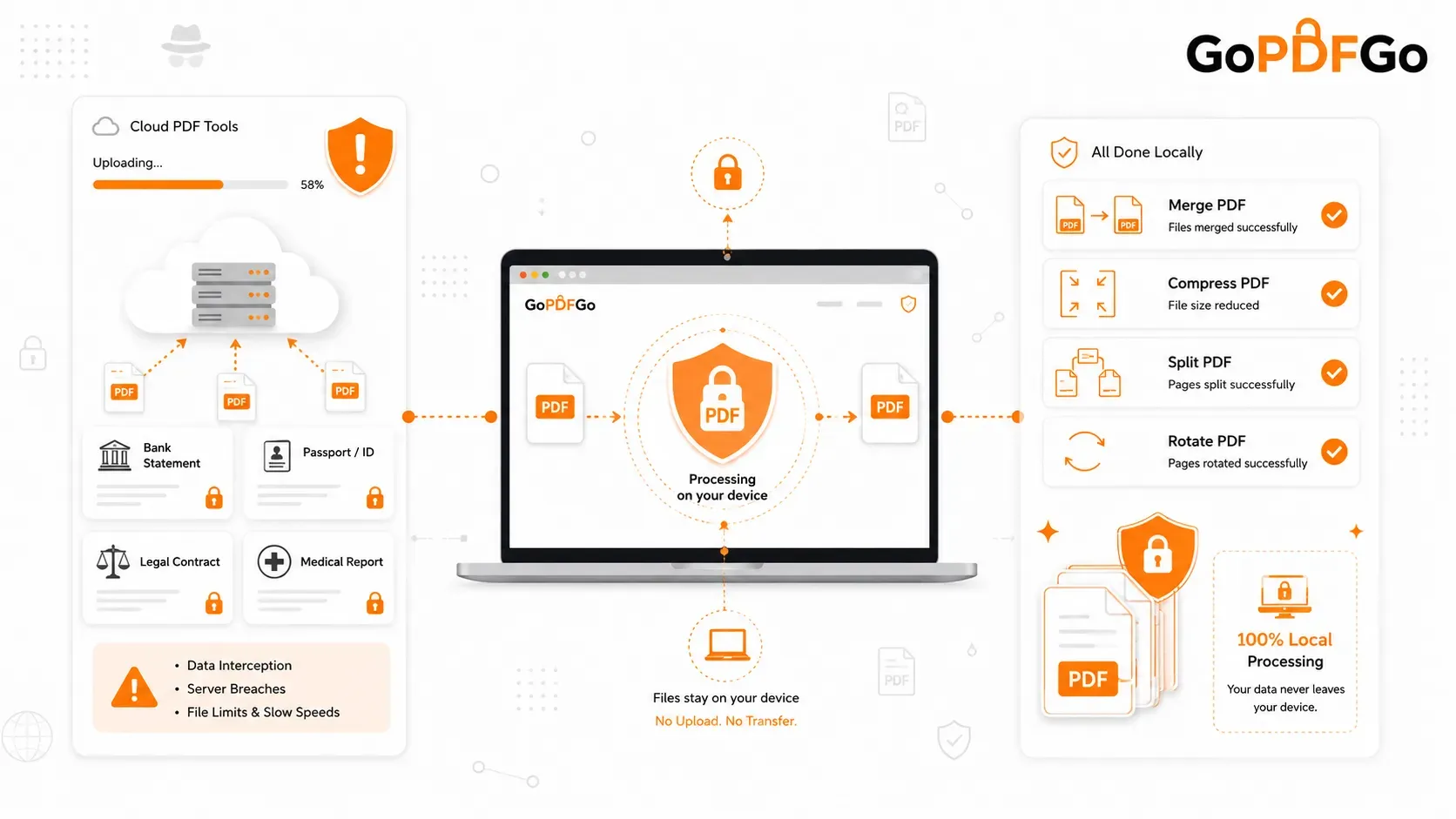
A classic cloud PDF site is a courier. It takes your file off your laptop, sends it over the internet to a server it rents somewhere (very often outside India), runs the edit on that machine, and then sends you a download link. From your side it looks like one smooth action. Under the hood, your statement has now existed in at least three places: your device, the wire in between, and a stranger's hard disk.
People usually worry about the wrong part. Interception in transit is the least of it. Nearly every site uses HTTPS now, so someone sitting on the same cafe Wi-Fi is unlikely to read your PDF mid-flight. The real problems sit at the other end:
- Retention you cannot verify. "Files are deleted after a few hours" is a sentence on a privacy page — iLovePDF's and Smallpdf's both say something of the kind, and you should read exactly how each phrases it. The point is not that they are lying. It is that you have no way to check, and backups, logs, and crash dumps are routinely exempt from such promises.
- Server breaches. A server that receives lakhs of bank statements, Aadhaar scans, and passport pages every day is a very attractive target. If it is breached, your file is stolen in bulk along with everyone else's, and you will probably never be told.
- Jurisdiction. If the server sits in another country, the data is subject to that country's laws and that company's staff, not yours.
- Practical friction. Upload speed depends on your connection, and because storage costs the site money, you hit "file too large, upgrade to Pro" walls at 15 or 25 MB.
For a college fest poster, none of this matters. For a salary slip with your PAN printed on it, it matters a great deal. If you want the specific case for financial documents, we wrote a separate piece on why bank statements should never go to free upload sites, so I will not repeat it here.
What "Local" or "On-Device" Processing Really Means
The alternative flips the direction of travel. Instead of sending your file to the tool, the tool is sent to you. When you open a page like GoPDFGo's compressor, your browser downloads the editing engine itself, a chunk of code that runs inside the tab. When you pick a file, the browser reads it straight from your disk into the tab's memory, does the merge or compression using your own processor, and writes the finished file to your Downloads folder. There is no upload step because there is nothing to upload to. Files never leave your device, and the site has no server that ever sees them.
My favourite way to picture it: cloud processing is sending your groceries to a restaurant kitchen and trusting the chef with them. Local processing is the chef bringing their knives to your kitchen. The ingredients never leave your house.
This is not a theoretical claim, and you do not have to take anyone's word for it. It is something you can test in under a minute.
How to Check for Yourself That a PDF Tool Is Not Uploading
- Step 1: Open Compress PDF and, while still online, run one small file through it start to finish. The processing engine is fetched the first time you actually use the tool, not when the page opens - this first run is the only moment it needs the internet.
- Step 2: Now switch off Wi-Fi and mobile data. On a laptop, flip on aeroplane mode. Do not refresh the page.
- Step 3: Pick your real file, ideally something with a few pages. Notice there is no "uploading 43%" progress bar. The file appears in the tab instantly because it is being read from your own disk.
- Step 4: Run the job again. Choose Best compression, or a Target size preset like 200 KB, and hit the button. It completes with the internet off, which a cloud tool physically cannot do.
- Step 5: Download the result. It lands in your Downloads folder named GoPDFGo_ followed by your original file name. Turn your connection back on only when you are done.
If you want to go one step further, open your browser's developer tools (F12 on Windows), click the Network tab, and process a file. You will see scripts load - the page's own, the ad scripts every free site carries, the PDF engine from a CDN - but nothing that carries your file: no POST request with a multi-megabyte body going out. That is what IT departments usually ask for when they want proof, and it is a fair thing to ask.
Where Local Processing Is Clearly Safer
Three everyday Indian scenarios show the difference sharply.
The home loan bundle. A bank asks for six months of statements, three salary slips, and Form 16 as a single file. On a cloud site that is nine private documents uploaded, stored, and combined on someone else's machine. Done locally with the Merge PDF tool, the nine files are stitched in your tab. Drag the cards into the order the bank wants, use the per-file rotate control if a scan came in sideways, and the running total above the button tells you the combined page count before you commit.
The Aadhaar in a rent agreement. A broker on WhatsApp asks for "Aadhaar front and back, PDF". Before it goes anywhere, the digits should be masked, and masking on a cloud site is self-defeating because you have just uploaded the unmasked version to do it. Our guide on masking Aadhaar for rent agreements and KYC covers that flow properly.
The 200 KB government form. SSC, state PSC, and university portals cap document uploads at tiny sizes. Compressing a scanned marksheet down to a hard limit means the tool reads every pixel of the page. Whether those pixels get read on your laptop or on a rented server in another continent is exactly the choice this post is about.
The Honest Limits of Doing It on Your Device
I would be doing you a disservice if I pretended local processing has no downsides. It has a few, and they are worth knowing before you rely on it.
Your device does the work, so your device is the bottleneck. Merging 80 high-resolution scanned pages on a 3 GB budget phone can make the browser sluggish or, in the worst case, crash the tab. A cloud server with 64 GB of RAM never has that problem. The workaround is simple, split a giant job into two or three batches, but it is real.
The first load needs the internet. The engine has to arrive in your browser once. For the OCR tool that is a few megabytes, and it is the slowest tool on the site because reading text out of a scanned page, in Hindi or English, is heavy work for a phone. It runs page by page and it is still entirely on your device, but "local" does not mean "instant" when the task itself is big.
Local does not fix a locked file. Every editing tool on GoPDFGo, compress, merge, split, rotate, watermark, page numbers, all of them, refuses a password-protected PDF and points you to Unlock PDF. Merge will skip the locked file, finish the rest, and name what it skipped. This catches people constantly with bank statements, which are often owner-locked, meaning they open without asking for a password but still carry restrictions. Unlock only works with a password you already know, and its output is a flattened image-based PDF where the text is no longer selectable. If that is your situation, read how to unlock a bank statement PDF first.
Local protects the file in transit and at rest on a server. It does not protect a compromised device. If your laptop has a shady browser extension reading every page, or your phone is shared and the Downloads folder is open to whoever borrows it, on-device processing does nothing about that. It removes one large risk, the stranger's server, not every risk.
Mistakes People Make When Switching
- Trusting "encrypted upload" as equivalent. Encryption in transit only means the courier cannot read the parcel on the road. The server at the far end decrypts it to do the edit. The file still sits there in plain form.
- Emailing the output to yourself. You carefully compress a PAN scan locally, then attach it to a Gmail draft "to have it on the phone". The file is now on a mail server. Use a cable, or process it on the phone in the first place, since every tool here works on Android and iPhone browsers.
- Expecting cloud-only features. There is no Google Drive or Dropbox import, no Word or Excel input, no shareable link to the result. Those features exist on cloud sites precisely because the file is already on their server. Here the file is on yours, so you pick it from your own storage and save it back to your own storage.
- Using Target size when you needed selectable text. To reach a small cap like 100 KB, Compress PDF flattens each page to an image and the text stops being selectable. If a portal only needs the file to be small, that is fine. If your CA needs to copy figures out of it, use Best compression, which does a lossless re-save first and only optimises images when the file is image-heavy. Either way the tool never hands back a file bigger than the original.
- Assuming "local" means "anonymous". The site can still see that someone visited the compress page, the same way any website sees page views. It cannot see the contents of your file, because the file never arrives. Those are two different things and it is worth being precise about which one you care about.
What to Do Next
If you are moving your document habits off cloud sites, do it in this order. First, unlock anything that is password-protected, using a password you know. Second, mask or crop anything that shows more of your identity than the recipient needs. Third, merge, rotate, number, or compress, each in its own pass so you can check the result between steps. Fourth, open the final file once before uploading it to the portal, because a rejected upload at 11:58 PM on a deadline day is the mistake that hurts most.
If you are choosing between specific sites rather than between two philosophies, our comparison of secure alternatives to iLovePDF and Smallpdf gets into the named products.
Frequently Asked Questions
Q: Does my file stay in the browser after I close the tab?
A: No. The file lives in the tab's memory only while the tab is open. Close the tab and that memory is released. The only copy that survives is the finished PDF you chose to download, which sits in your own Downloads folder like any other file.
Q: Is it safe to use these tools on an office or college computer?
A: The processing is just as private, but the output lands in that machine's Downloads folder, so delete it from there when you are done, and be aware that a managed office PC may have monitoring software that sees everything on screen regardless of which website you use.
Q: Can a local tool work on a scanned PDF, or only on text PDFs?
A: Both. Scans are just pages made of images, and merging, rotating, compressing, and page numbering all work on them, page numbers are drawn over the image. If you need the words out of a scan as text, the OCR tool reads printed English, Hindi, or both together on your device, though handwriting and blurry photos come out badly.
Q: Why does a cloud site handle a 300 MB file fine while my phone struggles with it locally?
A: Because the cloud site is using a server with far more memory than your phone. That is the one genuine advantage of the cloud model, and it is bought by giving up custody of the file. On a laptop with 8 GB of RAM, a 300 MB PDF is normally fine locally; on an older phone, split the job.
Q: If the site has no server, how does it make money and stay online?
A: A page like this is cheap to run precisely because it is not paying for upload bandwidth and disk for everyone's documents. It only has to serve the page and the engine, which is a static download. That is why there is no daily limit and no Pro tier for big files.
Q: Does local processing change the quality of my PDF?
A: The operation decides that, not the location. Merge, rotate, extract, and rearrange are lossless here, so text stays selectable and images keep their resolution. Compression in Best mode is a lossless re-save first. Only the Target size mode and the Unlock tool deliberately flatten pages to images, and both tell you so.
The Short Version
Cloud PDF tools take custody of your file, and everything after that, retention, breaches, jurisdiction, is a promise you cannot check. On-device tools never take custody in the first place, which you can prove in a minute by switching off your Wi-Fi. The trade is that your own phone or laptop does the work, so enormous jobs may need splitting, locked files still need unlocking, and a compromised device is still a compromised device.
For the paperwork that defines your financial and legal life, that trade is an easy one. Next time a portal asks you to combine or shrink a document, try it in your own browser: compress the PDF on your device, with nothing leaving your hands.