How to Break Down Annual Reports into Department-Wise PDFs
Every fiscal year, corporate executives and department heads face the same monumental task: reviewing the company's annual report. These comprehensive documents are essential for transparency, stakeholder communication, and strategic planning. However, they are also massive—often spanning 150 to 300 pages of dense financial data, operational reviews, and compliance metrics.
Emailing a monolithic 300-page file to every manager in the company creates immediate productivity issues. A marketing manager does not need to sift through 50 pages of raw accounting data, just as a supply chain director does not need to read the human resources diversity metrics. Sharing oversized documents leads to information overload, wasted time, and confusion.
To optimize corporate workflows, intelligent organizations do not just send out a single file. Instead, they actively break down annual reports into department-wise PDFs. In this practical guide, we will explore why you should separate PDF sections, the undeniable benefits of targeted document distribution, and exactly how to execute this strategy effectively.
Why Companies Split Annual Reports
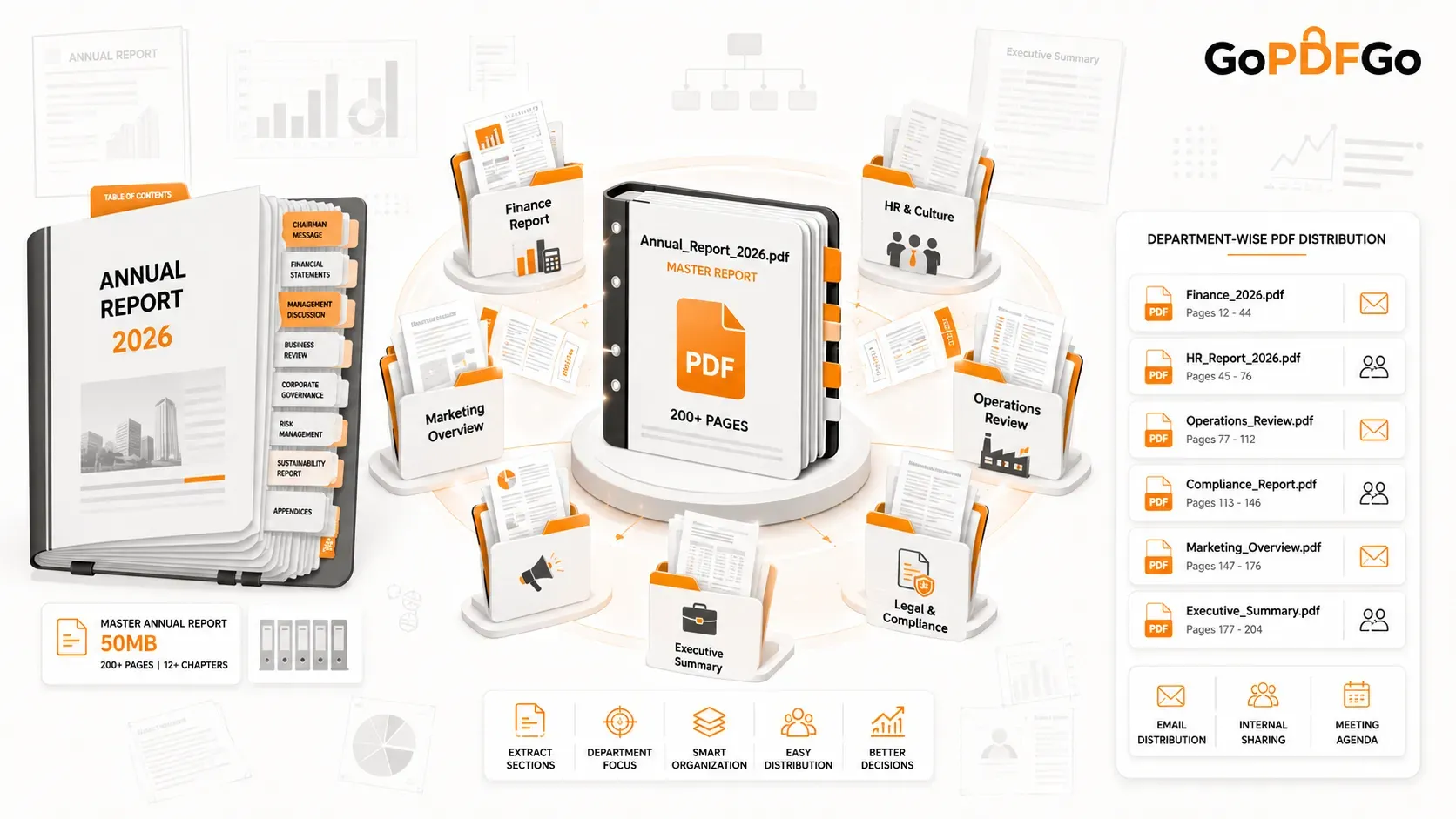
An annual report is a compilation of the entire organization's efforts. By extracting specific chapters, you empower department leaders to focus strictly on the data that impacts their KPIs. Here is what different teams typically need:
- Finance Team: Requires the balance sheets, cash flow statements, auditor reports, and revenue projections to prepare for the upcoming fiscal quarter.
- HR Team: Needs the sections covering employee growth, diversity and inclusion statistics, corporate culture initiatives, and leadership changes.
- Operations Team: Focuses exclusively on supply chain updates, manufacturing output, facility expansions, and logistical bottlenecks.
- Compliance & Legal Team: Needs to review risk management disclosures, regulatory updates, and corporate governance declarations.
Problems with Sharing One Massive PDF
If you choose to bypass proper PDF document management and simply forward one giant file to your entire mailing list, you run into several immediate corporate bottlenecks:
- Information Overload: When employees are presented with a massive document, they often skim it or ignore it entirely. Finding a specific 4-page section inside a 200-page file is incredibly tedious.
- Mobile Viewing Friction: Executives frequently read reports on their smartphones or tablets while traveling. Scrolling through a 50MB file on a mobile device is sluggish and frustrating.
- Version Control Chaos: If a manager wants to highlight or comment on a specific page, they have to save and re-upload the entire massive document, quickly clogging up the company's cloud storage.
Benefits of Department-Wise PDFs
Choosing to split an annual report PDF transforms a cumbersome reading assignment into an actionable business asset. Creating department-wise PDF files delivers distinct advantages:
First, it guarantees targeted insights. When an HR manager receives a 12-page document titled "HR_Annual_Review.pdf", they are far more likely to read it thoroughly and act upon it. Second, it leads to faster meetings. Departmental review meetings become incredibly efficient when everyone is looking at a concise, focused document rather than flipping through a heavy corporate binder. Finally, it provides privacy control. Sometimes, certain operational or financial data should only be viewed by senior leadership. Breaking the file apart allows you to restrict sensitive data distribution.
How to Identify Sections Before Splitting
Before you jump into a software tool, you need a strategy. The fastest way to organize your workflow is to open the master annual report and navigate straight to the Table of Contents.
Create a quick mapping document (on a notepad or spreadsheet) detailing which page ranges belong to which department. For instance, note that pages 14–28 are for Operations, and pages 45–60 are for Finance. This preparation ensures that when you begin to extract the pages, you don't accidentally cut a sentence in half or miss a critical chart.
Step-by-Step Process to Split an Annual Report
Once your pages are mapped out, you can divide the report in minutes using professional, browser-based tools.
- Step 1: Review the Master File. Open the final, approved version of the annual report. Ensure that all page numbers in the footer match the actual PDF page numbers.
- Step 2: Mark Your Ranges. Keep your mapping list handy. Know exactly which page numbers correspond to which department.
- Step 3: Extract Relevant Pages. Open an Extract PDF Pages tool. Upload your massive report and type in the specific range for your first department (e.g., Pages 20-35).
- Step 4: Save Department-Specific Files. Alternatively, if you want to break the entire document into multiple chunks simultaneously, use a Split PDF utility to cut the document exactly at the chapter breaks. Save the new files with clear naming conventions like "2026_Report_Marketing.pdf".
- Step 5: Verify Accuracy. Open each newly created department-wise file to ensure the formatting is intact, the text is readable, and the split occurred exactly at the chapter heading.
Real-World Example
To illustrate how effective this strategy is, let’s look at a realistic scenario of a 200-page corporate master file being distributed across a company:
| Department File Name | Page Range | Content Focus |
|---|---|---|
| 01_Exec_Summary.pdf | Pages 1 – 15 | CEO Letter, Company Vision, High-Level Milestones |
| 02_Financials.pdf | Pages 16 – 65 | Auditor Reports, P&L, Balance Sheets |
| 03_Operations.pdf | Pages 66 – 110 | Supply Chain, R&D, Regional Manufacturing Updates |
| 04_HR_and_Culture.pdf | Pages 111 – 140 | Headcount, ESG Initiatives, Corporate Social Responsibility |
Best Practices for Corporate PDF Management
When you split large PDF files for corporate distribution, keep your ecosystem clean and professional. If a specific manager oversees two departments (like Operations and HR), you don't need to send them two separate emails. Instead, you can take those two specific PDF sections and quickly Merge PDF them into a custom executive brief.
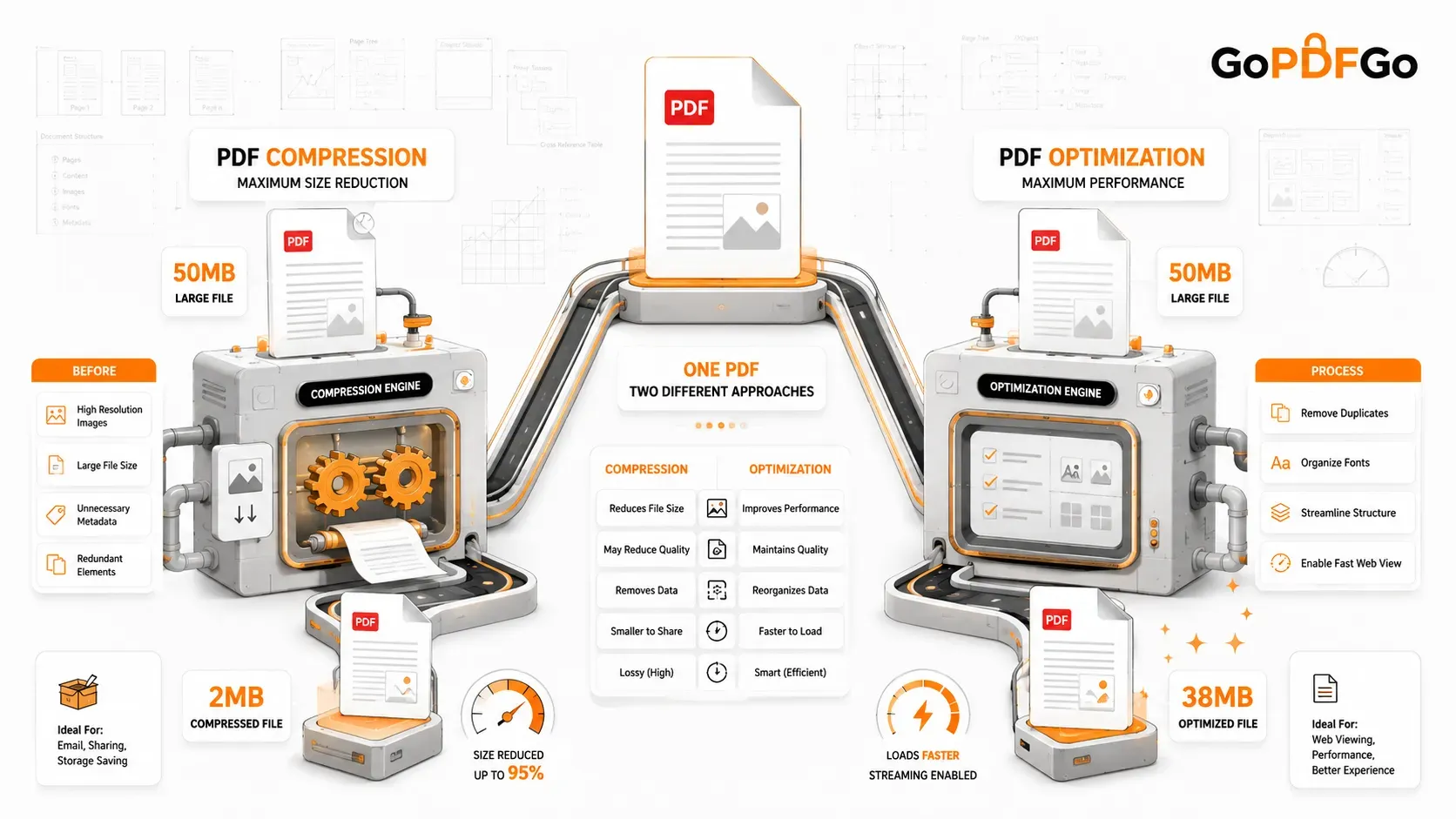
Additionally, always monitor your file sizes. Even if you extract a 15-page section, it might still contain heavy, high-resolution infographics. Always run your newly split files through a Compress PDF tool to ensure they are lightweight and email-friendly before sending them to the entire department.
Security Considerations When Sharing Internal Reports
Corporate annual reports often contain highly sensitive financial data, upcoming acquisition plans, and unreleased strategic shifts. When you use online software to split or manipulate these documents, data privacy should be your ultimate priority.
Never upload an internal corporate document to a server-based PDF tool that processes files remotely in the cloud. Instead, utilize secure, browser-based utilities that run entirely on your own device. This ensures that your proprietary financial data never leaves your company laptop, eliminating the risk of data interception or unauthorized server storage.
Frequently Asked Questions (FAQ)
Q1: Will splitting an annual report alter the quality of the charts and graphs?
A: No. When you extract or split pages from a PDF using proper tools, the software simply isolates the specific pages without altering the underlying resolution, formatting, or data of the charts.
Q2: How do I handle sections that start halfway down a page?
A: If Chapter 2 ends and Chapter 3 begins on the exact same page, you have two choices: include that transition page in both department files, or use a PDF cropping tool to visually separate the content before splitting.
Q3: Does splitting a PDF remove the original hyperlinks and bookmarks?
A: Internal bookmarks related to the extracted pages are generally preserved, but hyperlinks pointing to pages that have been cut out of the new document will no longer function.
Q4: Can I automate the splitting of reports every quarter?
A: While the manual extraction ensures human accuracy regarding page breaks, companies can use enterprise-level scripting if their reports follow a rigid, templated page structure every single quarter.
Q5: What is the most secure way to split confidential financial reports?
A: The most secure method is using local, browser-based PDF tools. Because the processing happens locally on your machine's RAM rather than on a remote cloud server, your confidential financial data remains completely secure.
Conclusion
A master annual report is a vital compliance document, but it is rarely an effective internal communication tool. Learning how to break down annual reports into department-wise PDFs is a simple administrative task that yields massive organizational benefits. By distributing targeted, bite-sized, and highly relevant PDF files, you eliminate information overload, streamline department meetings, and foster a more agile and informed corporate culture.