How to Generate Free, Permanent QR Codes for Your Website & Links
Think about the last time you saw a poster with a long website link printed on it. Did you actually pull out your phone and type the whole thing in? Almost nobody does. That is exactly the gap a QR code fills. Whether you are printing business cards, designing a flyer for a local event, or sticking a discount label on your shop window, a customer just points their phone camera at the code and lands on your page — no typing, no spelling mistakes, no lost interest.
However, if you are a small business owner, a freelancer, a restaurant manager, or even a college student who has tried to create a functional QR code recently, you have almost certainly encountered a highly frustrating and deceptive problem in the software industry. You search Google for a "Free QR Code Generator," paste your website link, create your code, print it on 500 expensive, high-quality glossy flyers, and distribute them across your city. Two weeks later, you start getting complaints that the code is completely broken. When you scan it yourself to check, you are immediately redirected to a spammy website demanding a $15 to $30 monthly subscription to "reactivate" your link. This bait-and-switch tactic is an absolute epidemic in the digital tool space.
The Industry Trap: Static vs. Dynamic QR Codes
To avoid this extremely expensive trap and ensure your printed materials work forever without costing you a dime, it is absolutely crucial to understand the underlying technology and the two completely different types of QR codes available on the internet today:
- Dynamic QR Codes (The Expensive Trap): When you create one of these on a "freemium" website, the QR code pattern does not actually contain your target website link. Instead, the pixel pattern contains a tiny, short URL that points directly to the generator company's private tracking server. That server logs the scan and then automatically redirects the user to your actual destination. Because the company controls that middle-man server, they have the ultimate power to turn off your redirect at any time. They effectively hold your printed marketing materials hostage until you input your credit card details and pay a recurring monthly fee.
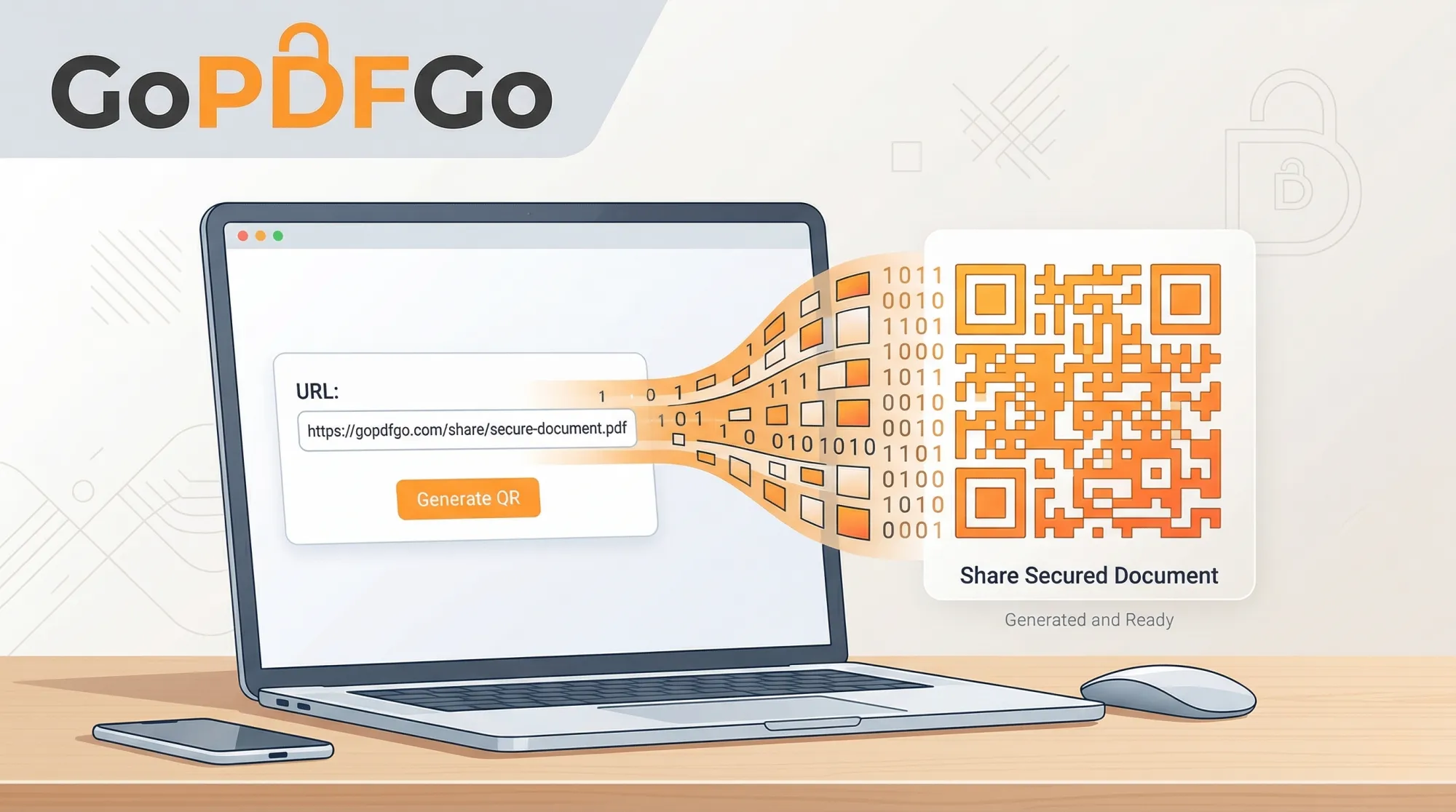
- Static QR Codes (The Permanent Solution): With a static code, the actual text string of your URL (for example, https://yourbusinesswebsite.com/contact) is hardcoded directly into the black-and-white pixel pattern of the QR code itself. It does not rely on any third-party redirect servers or tracking databases. Because of this direct translation, Static QR codes physically cannot expire. Once they are generated and downloaded to your computer, they will work for the next 100 years, completely independent of the website that generated them, without costing you a single penny.
How to Generate a Permanent, Free QR Code from Any URL
If you just need a straightforward, reliable, and unbreakable code that links directly to your website, a digital portfolio, a YouTube video, or a social media profile, a static URL QR code is exactly what you need. We specifically built our tool to provide this exact service: simple, permanent, and 100% free codes with zero hidden strings attached.
Step-by-Step Guide to Creating Your Free QR Code:
- Step 1: Copy Your Exact Target Link. Open a new tab and go to the exact webpage you want to share with your audience (e.g., your LinkedIn profile, your business homepage, or a specific product page). Highlight and copy the full, complete URL from the browser's address bar at the top of the screen.
- Step 2: Access the Generator. Navigate to the Free QR Generator tool located in the utility section on the GoPDFGo website.
- Step 3: Paste and Generate. Paste your copied URL into the primary input text box. Click the "Generate" button. Our completely client-side tool will instantly translate your web address into a unique, scannable square pixel pattern right on your screen.
- Step 4: Download and Rigorously Test. Download the high-quality generated PNG image file to your device. Crucial Pro Tip: Always, without fail, scan the downloaded image from your computer screen using your own mobile phone's camera to verify that it successfully opens the correct webpage before you send that file to a commercial printing press!
Smart Ways to Use Simple URL-Based QR Codes
Even though our tool focuses purely on generating codes from URLs, the practical, real-world possibilities are virtually endless because almost everything exists as a link on the internet today:
1. Digital Restaurant & Cafe Menus: You absolutely do not need to pay for a complex "Menu QR" generator platform. Simply save your restaurant menu as a PDF document, upload that PDF to a free service like Google Drive or Dropbox, and set the sharing permissions to "Public / Anyone with the link can view." Copy that public Google Drive URL and paste it into our generator. (Note: If your menu consists of 5 different JPEG photo pages, use our Image to PDF tool to cleanly combine them into one neat PDF file before uploading it to Drive!).
2. Collecting Customer Feedback & Reviews: A wall of good Google reviews is what convinces the next walk-in to trust you. Create a free Google Form asking for customer reviews. Copy the "Share Link" provided by Google and turn it into a static QR code using our tool. Paste this printed code on your billing counter or on restaurant tables so customers can review your service instantly before they leave the premises.
3. Smarter Business Cards: Physical space is extremely limited on a standard 3x2 inch piece of cardstock. Instead of cramming it with tiny text detailing your website, Twitter, LinkedIn, and email, print a clean, minimalist QR code on the back. Have that code link directly to your Linktree profile, your digital portfolio, or your company's "About Us" page.
It is time to take full control of your digital sharing strategy and stop paying for basic web utilities. Generate your URL QR codes locally for free, print them with absolute confidence, and never worry about unexpected subscription fees, expired links, or broken marketing materials ever again.
Frequently Asked Questions
Q: How do I make a free QR code for my website?
A: Open the QR Code Generator, paste your website URL, pick a size, and download the image — free, with no signup.
Q: Will the QR code expire or stop working?
A: No. We generate static QR codes, so the link is baked into the pattern itself. As long as your URL stays the same, the code works forever with unlimited scans.
Q: What size should I download for printing?
A: Pick 256px for on-screen use, 512px for flyers and cards, or 1024px for posters and standees so the squares stay crisp when printed large.
Q: Can the same tool make Wi-Fi, text, or contact QR codes?
A: Yes. Besides website links, you can generate QR codes for your Wi-Fi, a WhatsApp link, plain text, or contact details — all created locally in your browser.