How to Unlock a Bank Statement PDF (Remove the Password You Already Know)
You download your account statement from net banking. You go to open it, and your laptop asks for a password. By now you know the drill by heart: it's your PAN in capital letters, followed by your date of birth as DDMMYYYY. You type ABCDE1234F15081990, hit enter, and there it is. Your statement. Every transaction, neatly listed.
Then the loan portal asks you to upload it. Or the new bank's KYC page. Or your CA, who needs it for filing your returns on the Income Tax portal. You pick the file, click upload, and you get a polite little message that the document is password-protected and cannot be accepted. So now you have a PDF you can open just fine, and nobody else can take it.
That gap, between a file you can read and a file you can actually submit, is what this whole thing is about.
Why Your Statement Came Locked in the First Place
Banks and credit-card companies lock these PDFs on purpose, and honestly, it's a sensible default. Your statement is one of the most personal things you own. It shows where you shop, what you earn, your EMIs, your balance. If that file is sitting in your Gmail inbox or your phone's Downloads folder and your phone goes missing, a password is a small but real wall between a stranger and your money.
So SBI, HDFC, ICICI, Axis, the credit-card teams at every major issuer, they all do the same thing. They encrypt the PDF with a password built from details only you should know. Usually it's some mix of your PAN, your date of birth, your customer ID, or the last few digits of your card. The exact recipe is printed in the very email that delivered the statement, which all of us ignore until the day we actually need it.
So Why Do KYC and Loan Portals Reject It?
Here's the irritating bit. The same security that protects your file is what gets it bounced.
Most upload systems, whether it's a loan aggregator, a new bank's onboarding flow, or a verification desk, run automated checks on whatever you send. They try to read the text, look for tampering, sometimes auto-pull your numbers. A password-locked PDF blocks all of that. The system can't open it without the password, and no sane portal is going to sit there asking lakhs of applicants to type their PAN into a box on its site. So rather than deal with it, they just refuse the file: "Password-protected documents are not allowed."
Which leaves you needing to hand over the same statement, minus the lock. An unlocked copy you can upload anywhere.
Let's Be Honest About What "Unlock" Means Here
This is the part a lot of tools won't tell you straight, so I will.
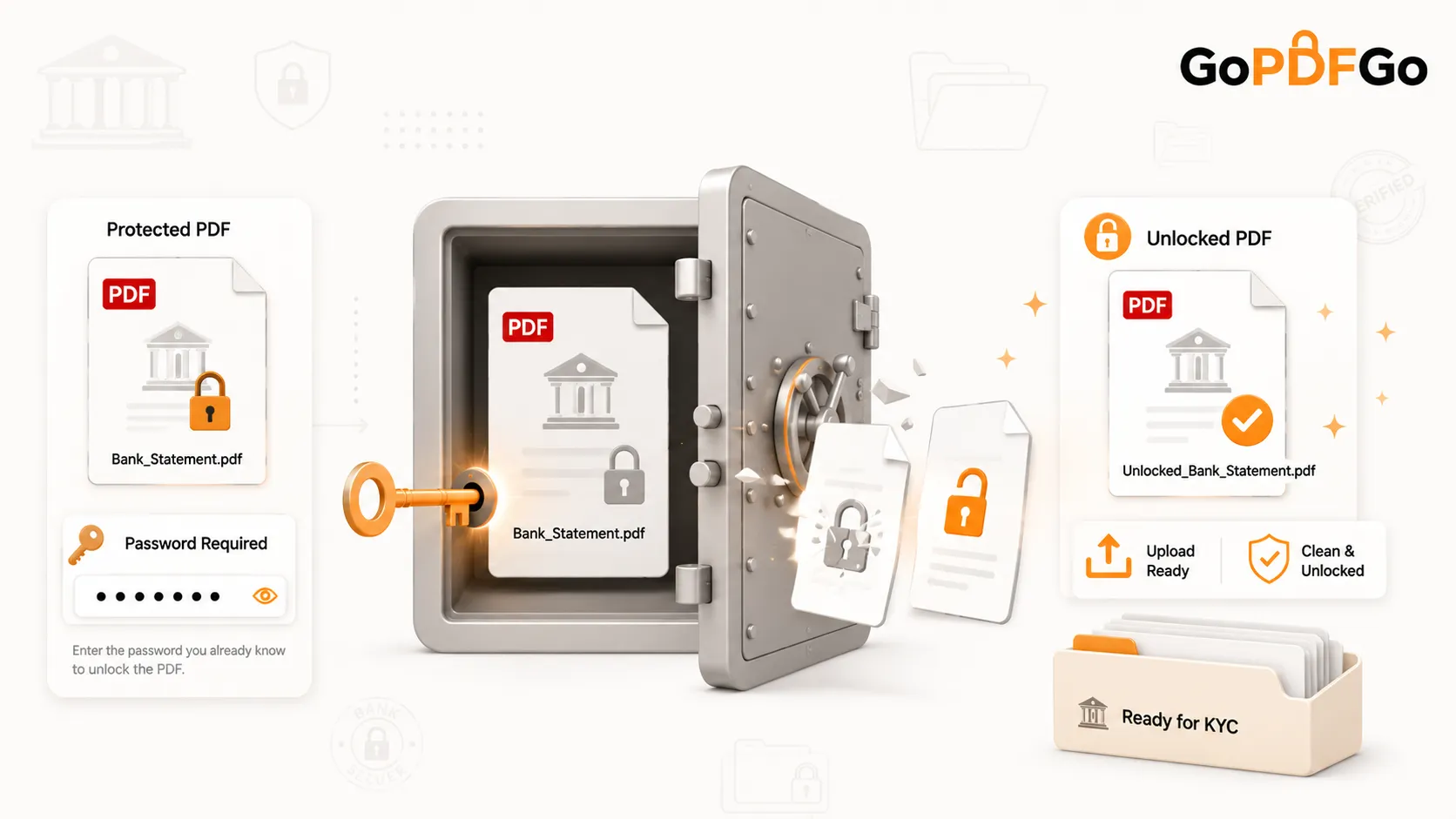
The Unlock PDF tool removes a password from a PDF that you can already open. You type in the password you know, and it hands you back a copy with no password on it. That is the whole job, start to finish.
It is not a password cracker. It cannot guess, recover, or break into a PDF whose password you've forgotten. Type the wrong password, or no password, and you just get an error and nothing happens to your file. There's no secret backdoor, no brute-forcing, no "recover my forgotten password" magic. If you don't know the password, this genuinely can't help you, and your best bet is to go back to your bank's email or net banking and dig out the format.
I'm spelling this out because the internet is full of sites promising to "unlock any PDF." For something as private as a bank statement, you want a tool that's clear about its limits, not one making promises it has no business making.
The One Trade-off You Should Know
When the tool removes the password, the output is a flattened, image-based PDF. Each page basically becomes a picture of itself. The document looks exactly the same, opens everywhere, and uploads to any portal without complaint. But the text inside it is no longer selectable. You can't click and copy a transaction line out of it anymore, and software can't pull the raw text from it the way it could from the original.
Is that a problem? For almost everything you'd submit a statement for, no. KYC desks, loan applications, your CA, address proof, embassy visa files, they all just want to see a clean, openable statement. A flattened PDF does exactly that. It would only matter if someone specifically needs to copy-paste figures straight out of the file, which is rare for a document you're uploading.
I'd rather you know that now than be surprised by it later.
Why Doing This on Your Own Device Matters
Think about what you'd be handing over otherwise. Your full bank statement. Every transaction on it. And to unlock it, the password too, which is often your PAN and DOB stitched together.
Now picture typing all of that into some random website that uploads your file to a server "somewhere" to process it. You have no idea where that server sits, who runs it, whether the file actually gets deleted, or whether your PAN and DOB just landed in a log somewhere across the world. For a festival photo you're sharing on WhatsApp, who cares. For your financial life, that's a genuinely bad idea.
This tool runs entirely on your device. Your PDF never leaves your browser. It isn't uploaded anywhere, isn't sent to a server, isn't seen by anyone but you. The unlocking happens right there on your laptop or phone, which is how a document this personal should be handled. No upload means there's simply nothing for anyone to intercept or store.
How to Remove the Password From Your PDF
- Step 1: Open the GoPDFGo Unlock PDF tool in your browser, on your phone or your computer.
- Step 2: Pick your locked statement, or drag and drop it into the box. The file stays on your device the entire time.
- Step 3: Type in the password you already know. For most bank statements that's your PAN in CAPITALS followed by your DOB as DDMMYYYY. Tap the little eye icon to reveal what you've typed and check for typos, because one wrong character means an error.
- Step 4: Run the unlock. If the password is right, you get a fresh, password-free copy in a moment. If it's wrong, you just see an error and your file is untouched, so go ahead and try again.
- Step 5: Download your unlocked PDF. Open it once to confirm it no longer asks for a password, then upload it wherever you needed.
What to Do Next With Your Unlocked File
Once the lock is off, you might run straight into the next classic wall: file size. Loan and KYC portals love a 2MB or 5MB cap, and a multi-page statement can blow right past it. If your unlocked statement is too heavy to upload, run it through the Compress PDF tool to bring it down to a size the portal will accept, without turning it into a blurry mess.
A couple of other things you might want before sharing. If you're sending the statement to an agent, a CA, or a property dealer and you want it clearly marked so it can't quietly get passed around, stamp it first with the Watermark PDF tool. Something like "For ABC Bank loan only" does the job. And if the portal asked you to combine your statement with other documents into a single file, the Merge PDF tool will join them in the exact order you want.
One more thing worth a thought. If any document in your bundle shows your full Aadhaar number, consider masking it before you submit, which you can do with the Aadhaar Masking tool. UIDAI itself recommends sharing masked Aadhaar wherever the full number isn't strictly needed.
The Short Version
A password-protected statement is your bank doing its job. A portal rejecting that locked file is the portal doing its job. You just happen to be caught between the two. Removing a password you already know is a perfectly normal, legitimate thing to do with your own document, and there's no reason to send that document, or your PAN, off to a stranger's server to get it done.
So the next time a KYC page bounces your statement, you'll know the fix. Type the password you know, get an unlocked copy back, and carry on with your loan or your verification. Go ahead and unlock your PDF right on your own device, no upload, nothing leaving your hands.